Click Ntro.io extension icon.


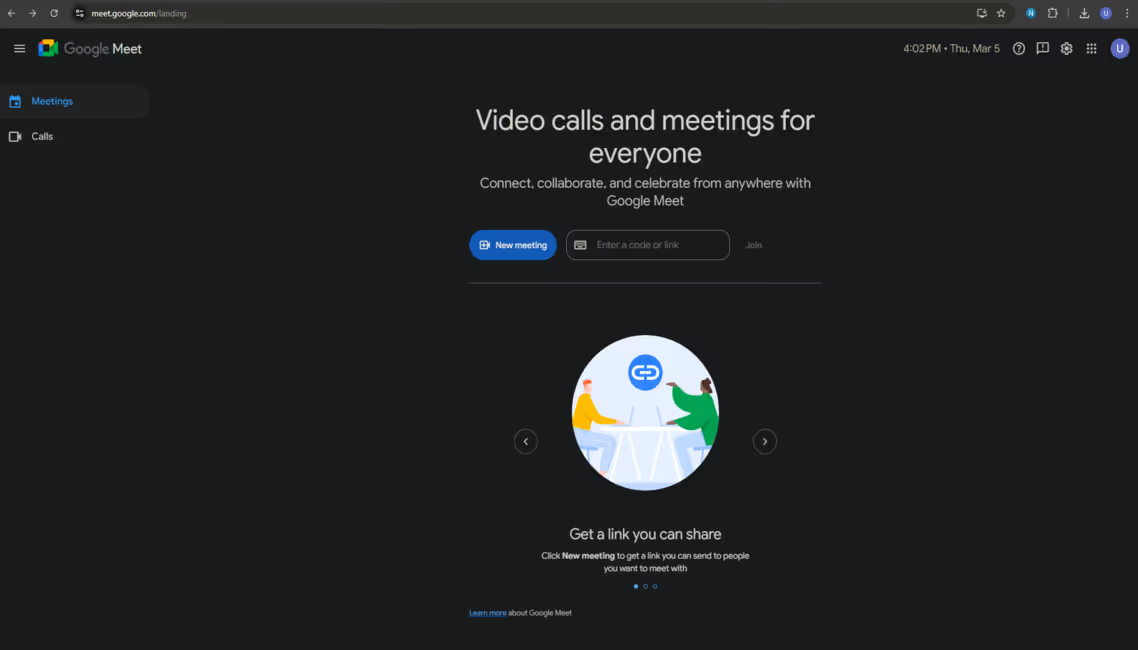
Please click the Ntro.io icon from extension bar.

Click here.
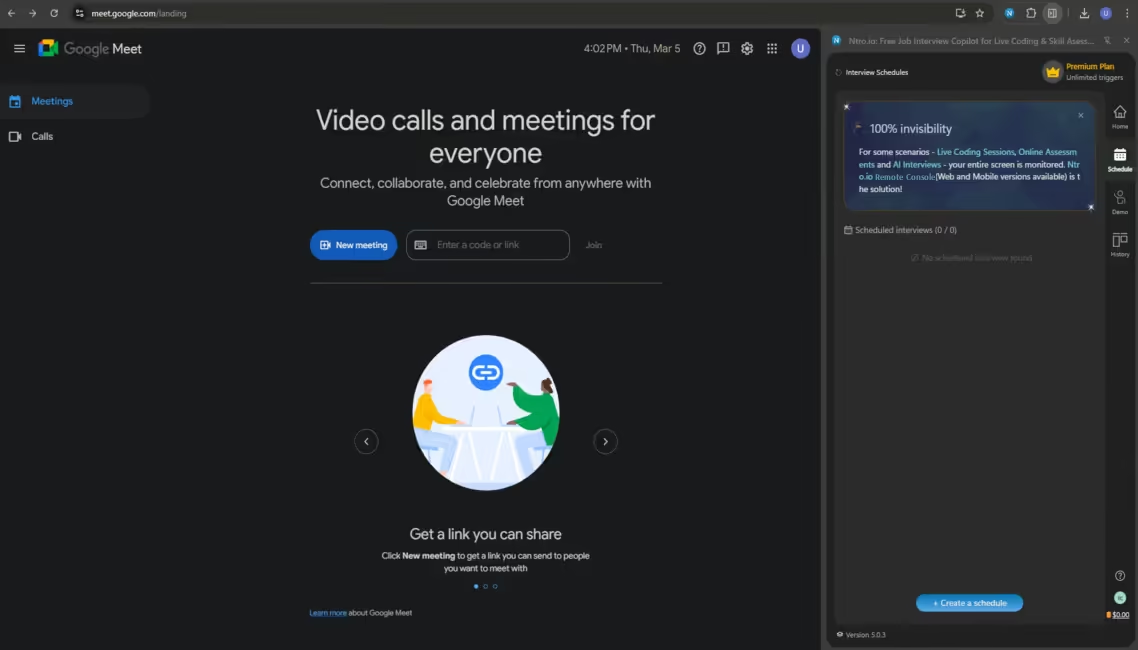
Click [Create a schedule].
Select scenario.
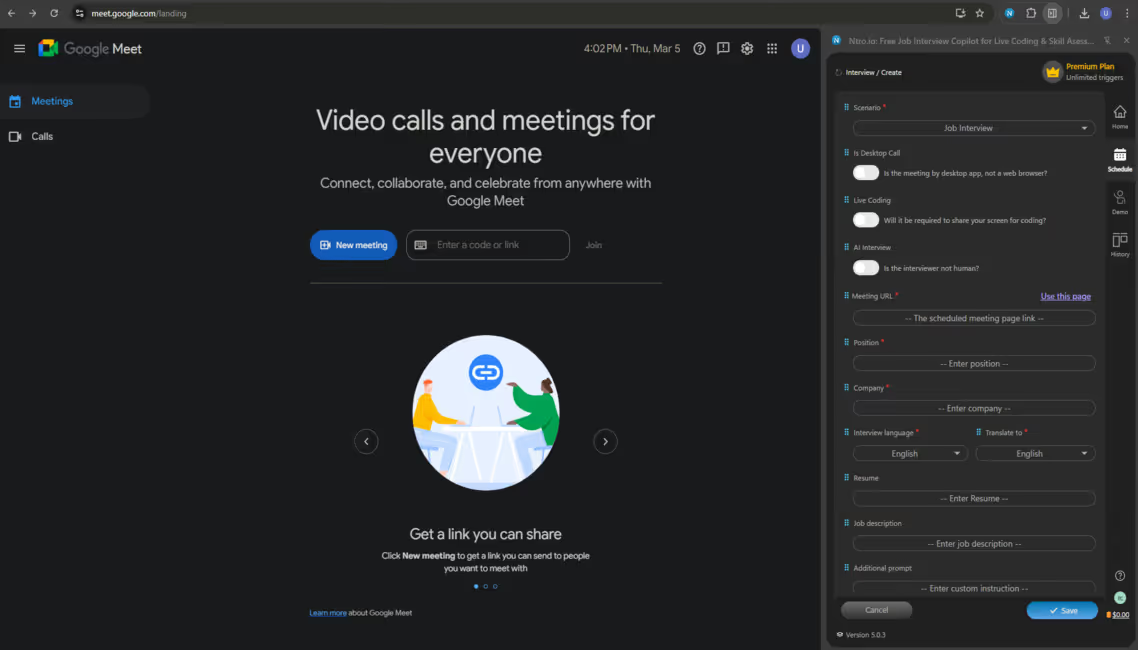
Please select a scenario.
Check interview setup. (Nothing to change now.)
Just leave as the default interview setup.
[Use this page] or manually input meeting URL.
Fill in the meeting URL.
Enter the job position.
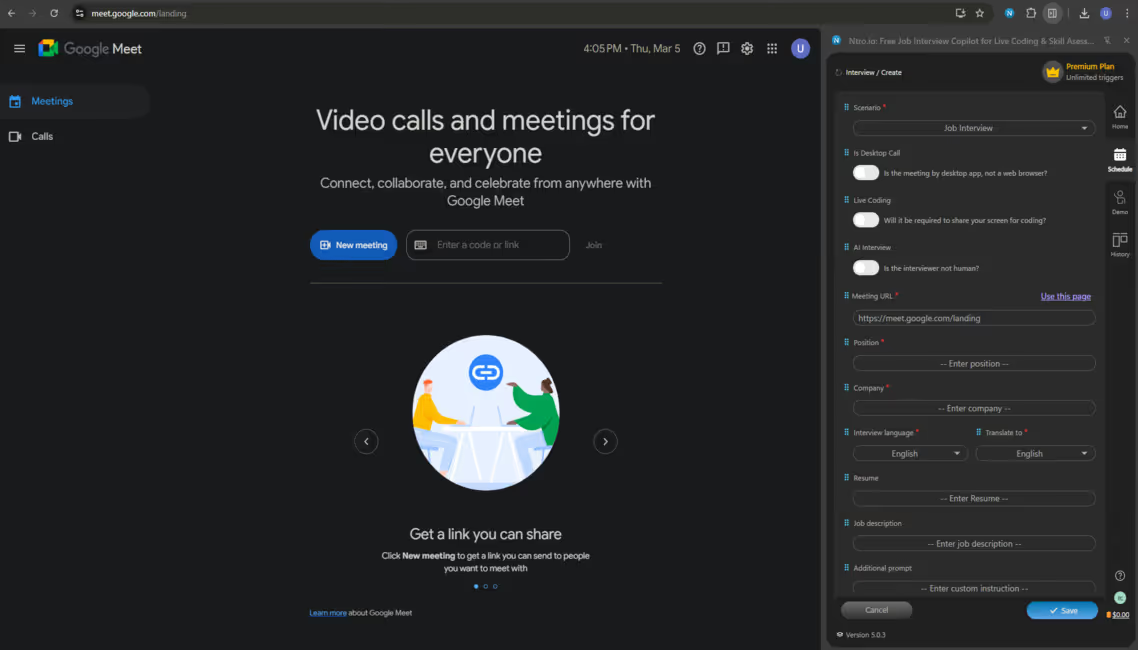
Please enter the job position you apply for.
Enter the name of the company.
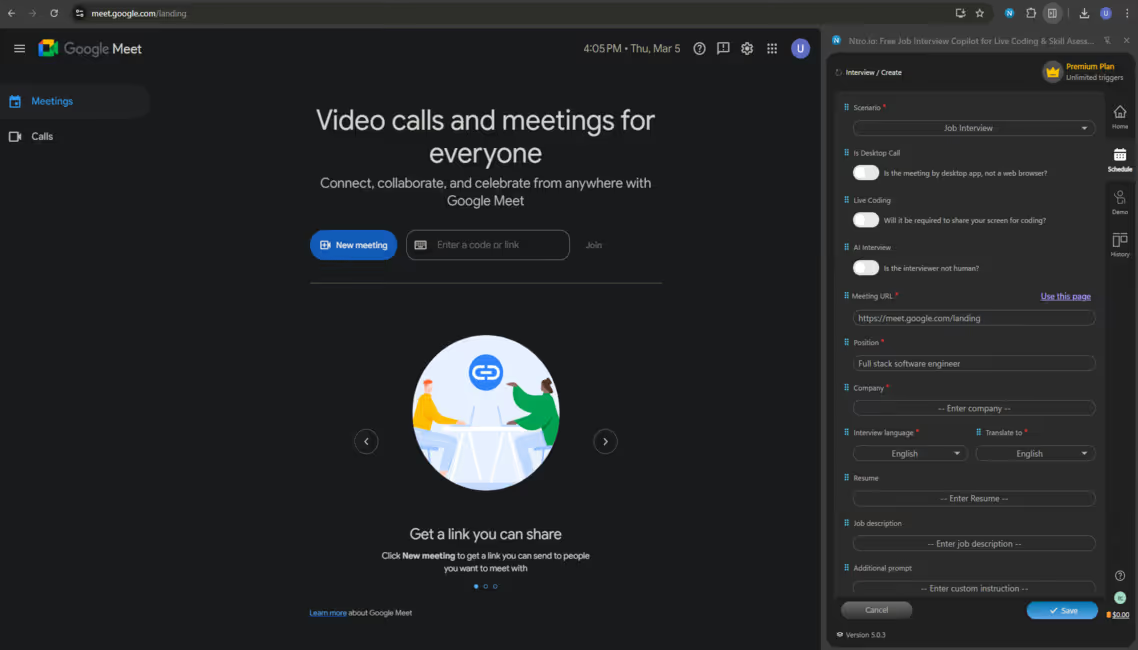
Please enter the name of the company you apply for.
Choose languages.
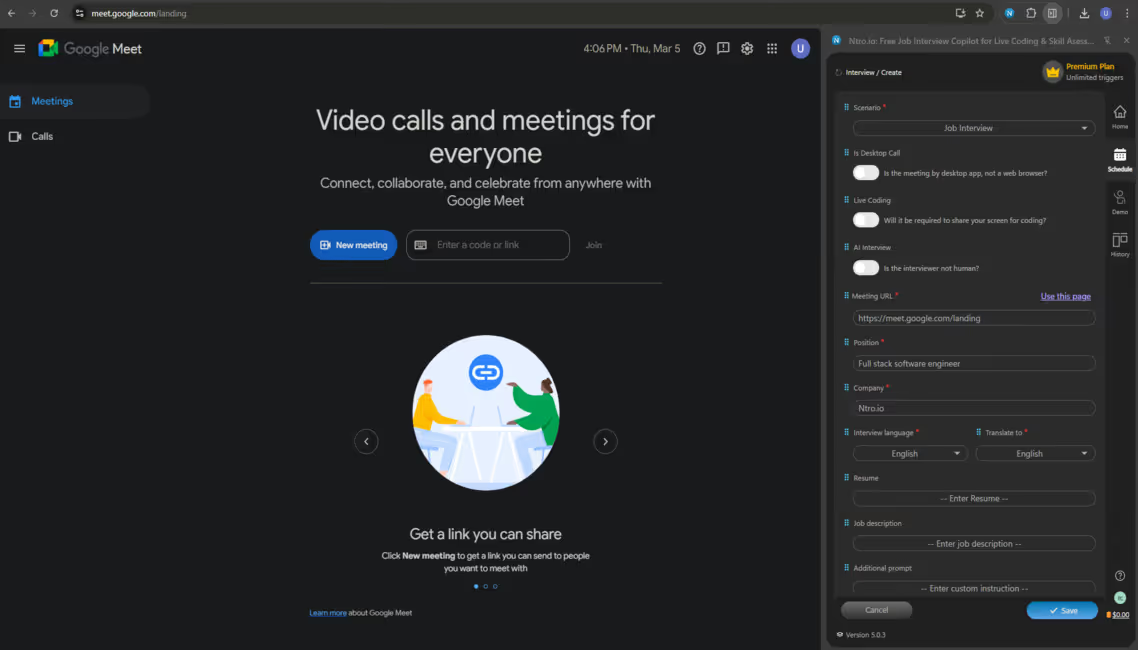
Please select interview language and your native language.
Input contextual information for tailored answers.
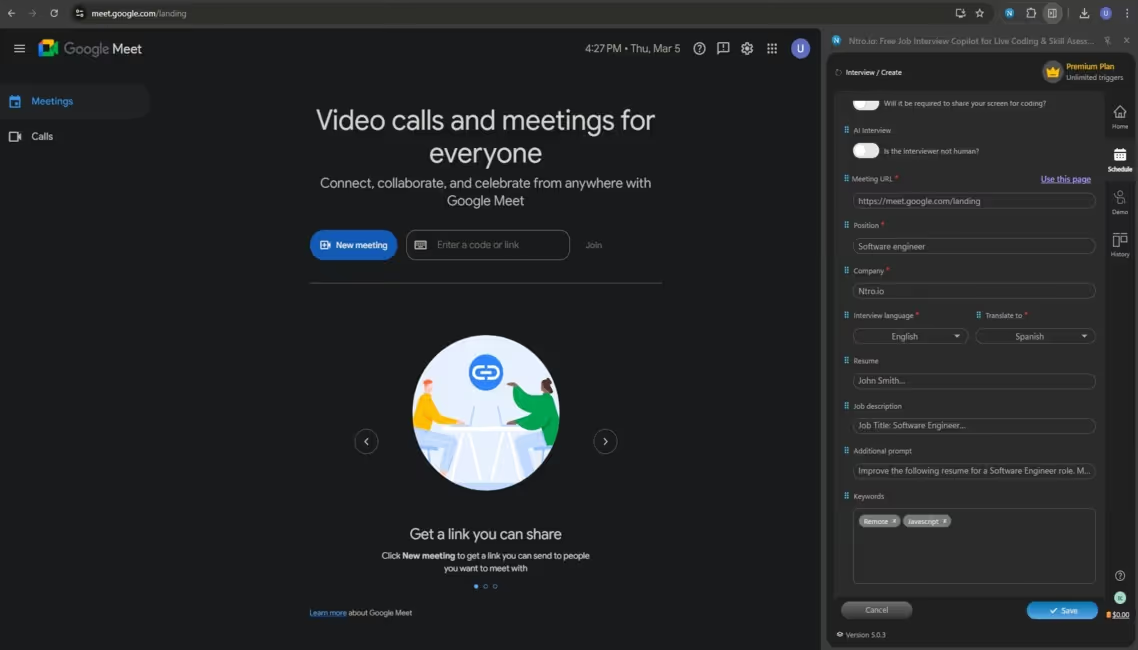
Please input your resume, JD, additional prompt and keywords.
Click here to finish the setup.
Please click [Save].
Check the new interview scheduled in the list.
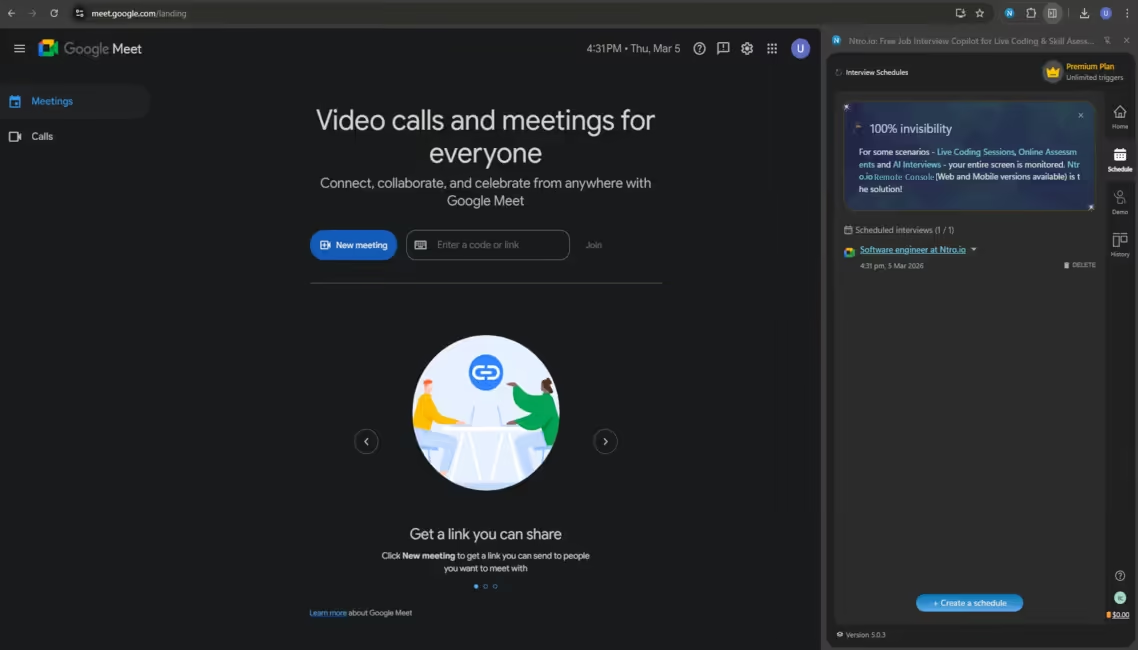
The new interview has been added in the list.
Expand and click [Start now].
Make sure you're in the correct meeting page.
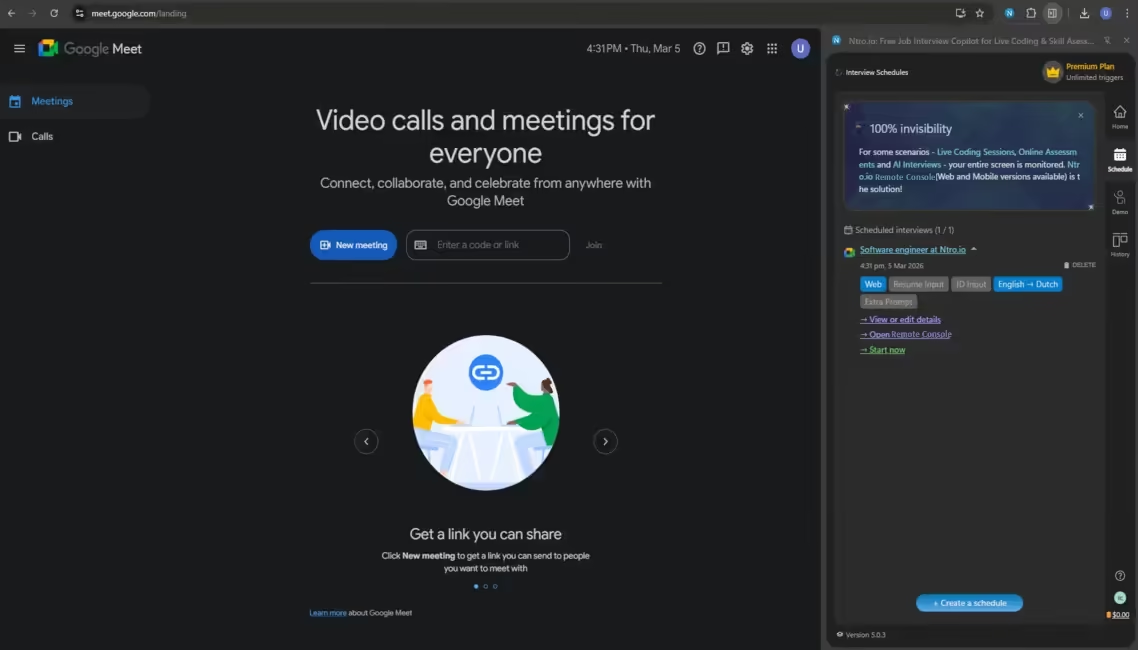
Please click [Start Now] to start interview.
If you see this error, click
the extension icon.
the extension icon.
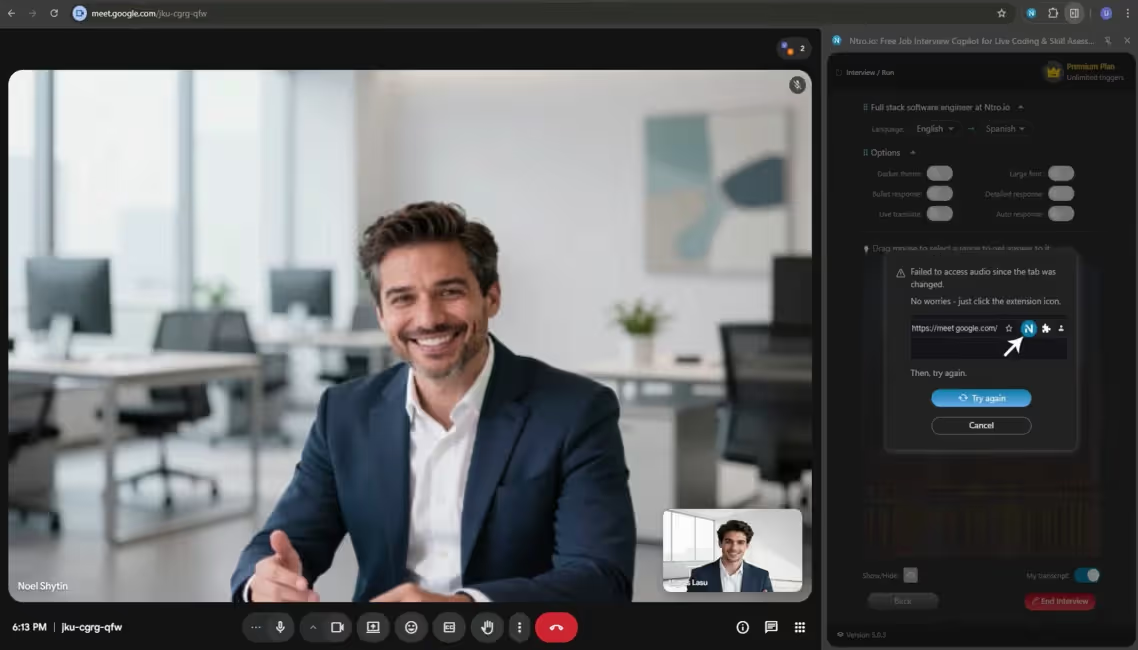
You should see this copilot window.
Modify the copilot options as per your preference.
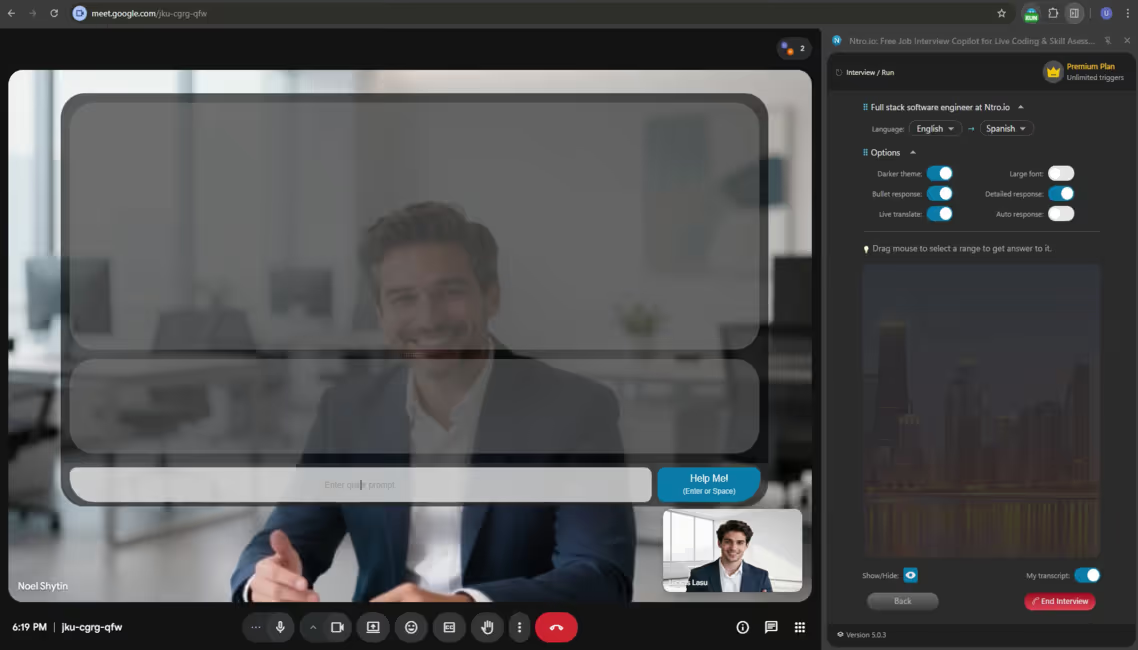
Please check and update the runtime copilot options.
Check live transcriptons of you and the interviewer.
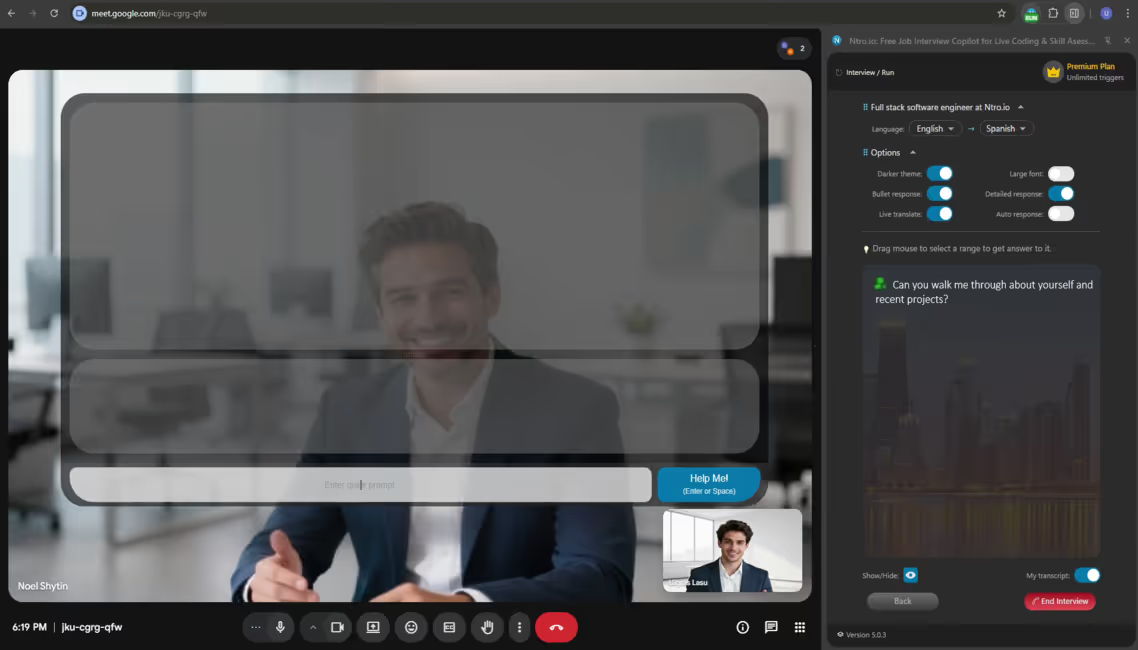
Live transcription should be visible.
You should see the real-time translation for interviewer's speech.
Toggle on this option.
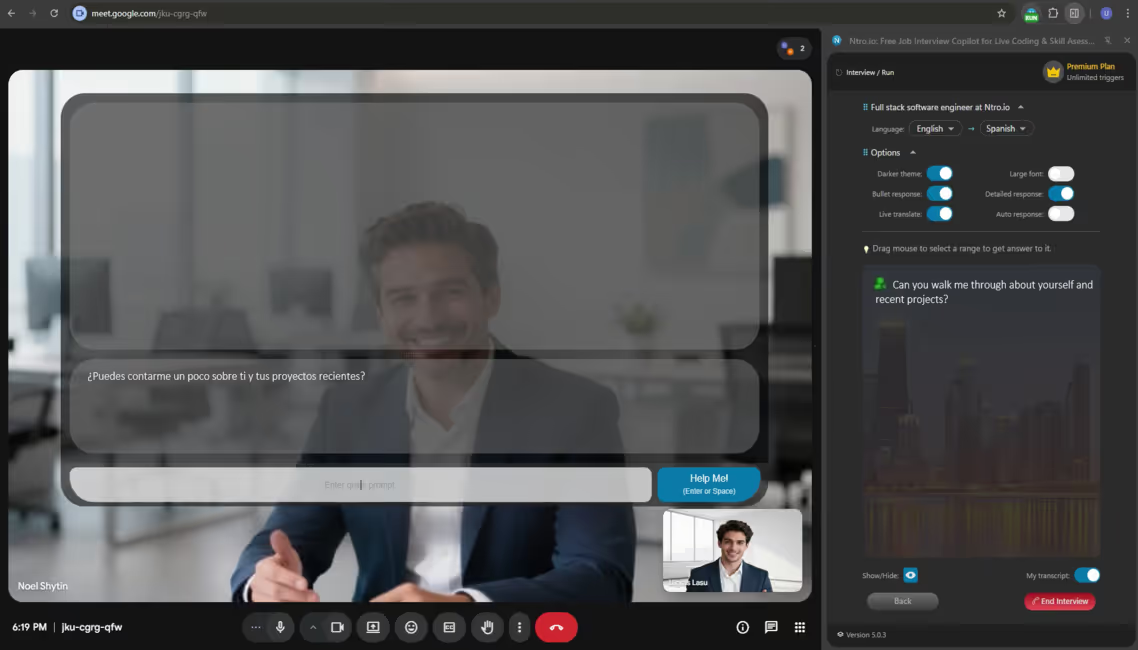
You can enable real-time translation for the interviewer's speech.
Click [Help me] when you need
assistance.
Shortcut: Strike [Enter] or [Space]
assistance.
Shortcut: Strike [Enter] or [Space]
Trigger hints manually.
Great!
You can see instant and tailored answer to the interview question.
You can see instant and tailored answer to the interview question.
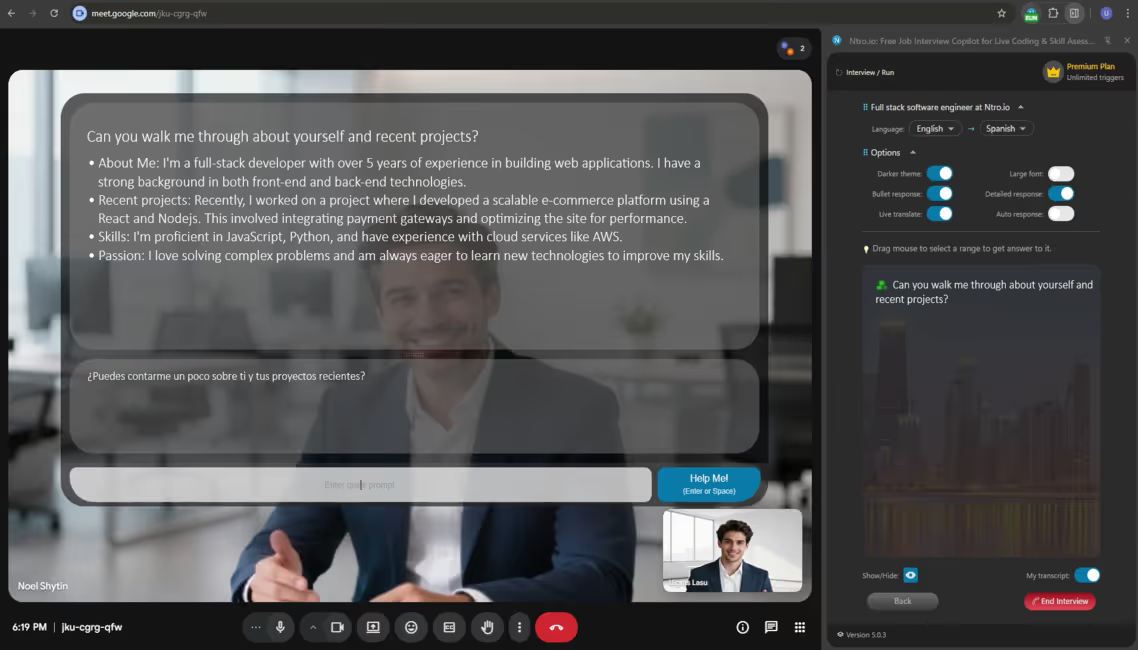
Ntro.io will generate the tailored response immediately.
Your transcription here.
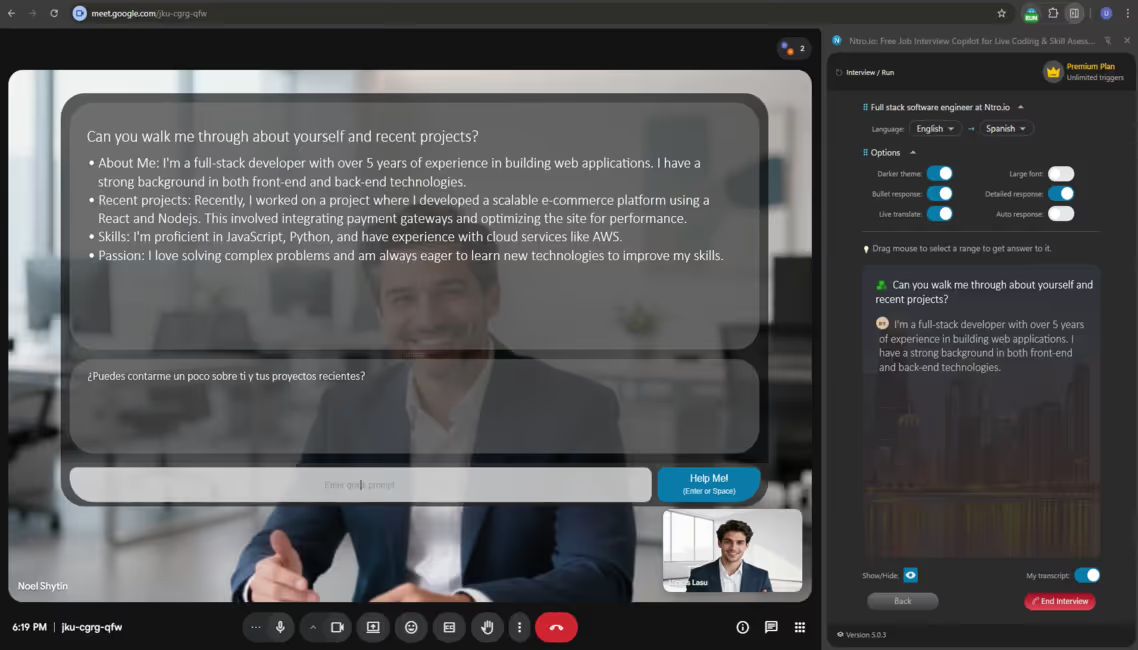
Your voice is transcribed too.
Drag to explicitly select a part of the text to get answer to it.
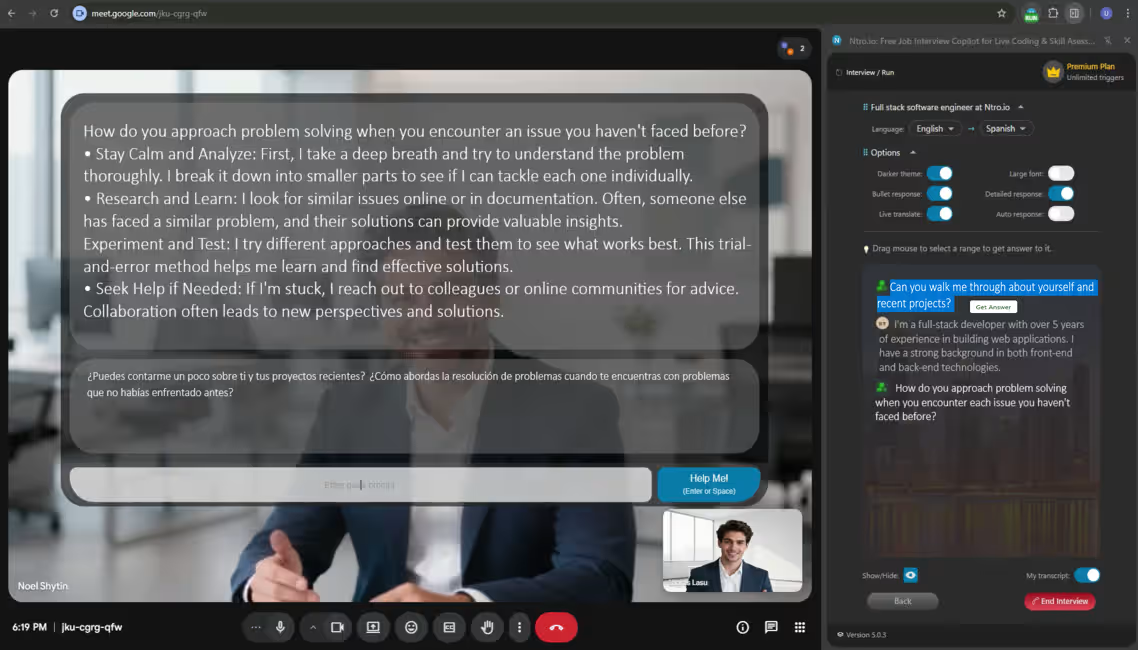
Advanced feature to get response.
When the interview is finished, click here.
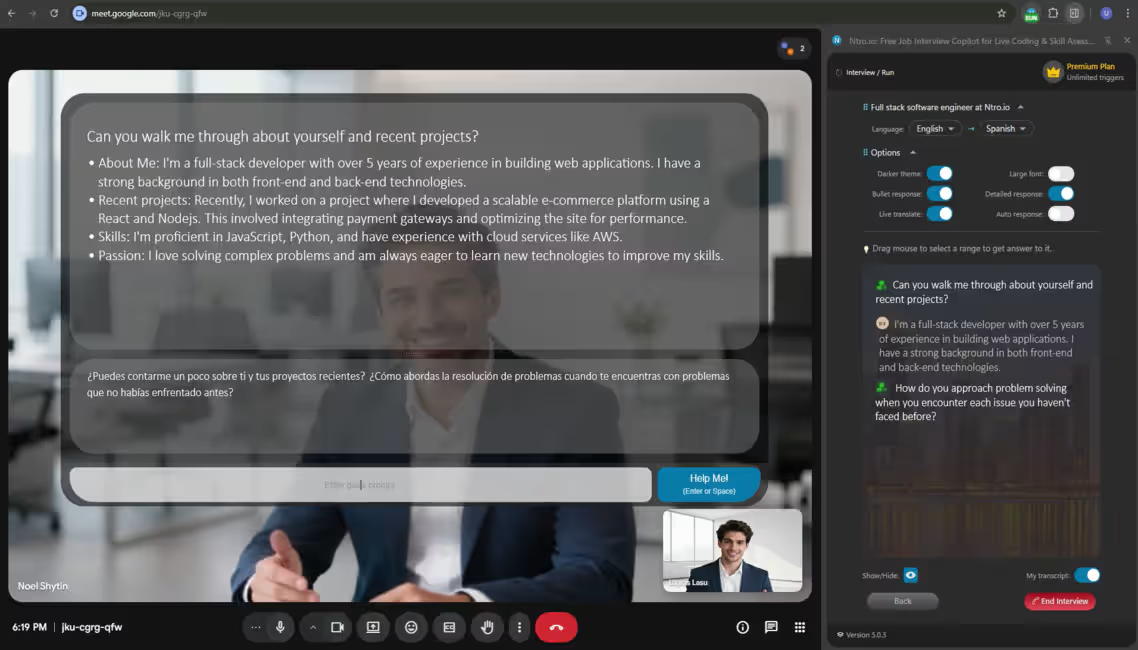
Please finish the copilot.
After the interview, you can check your history from the History tab.
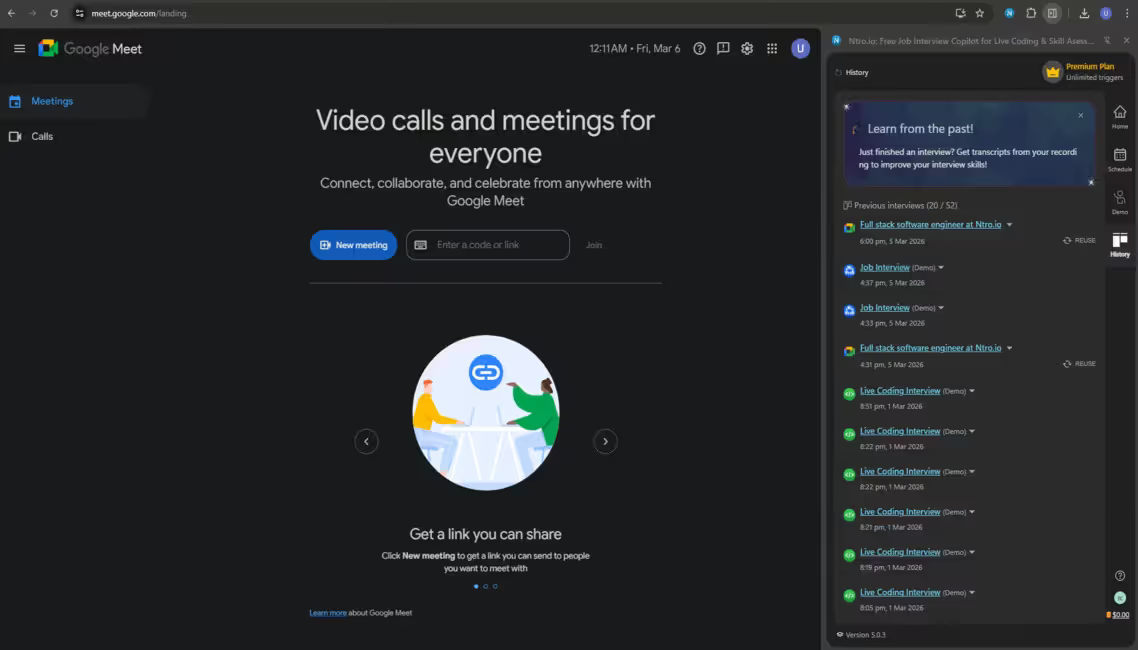
Check interview history.
Click here to view details.
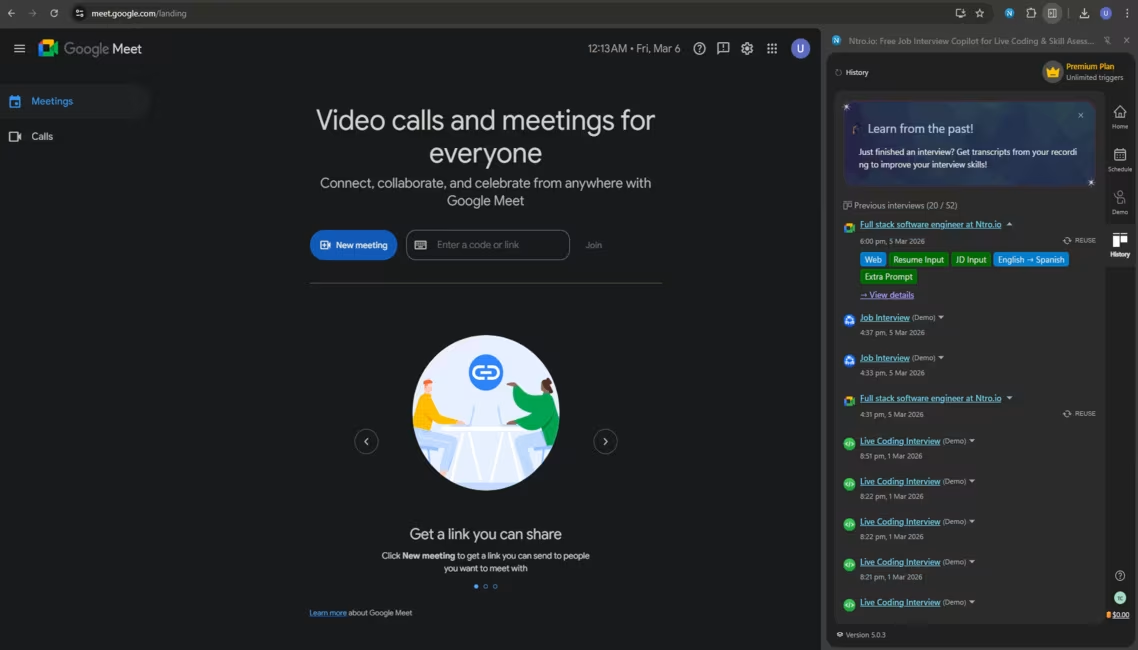
Click [View details] to check more.
Get AI feedback of the interview.
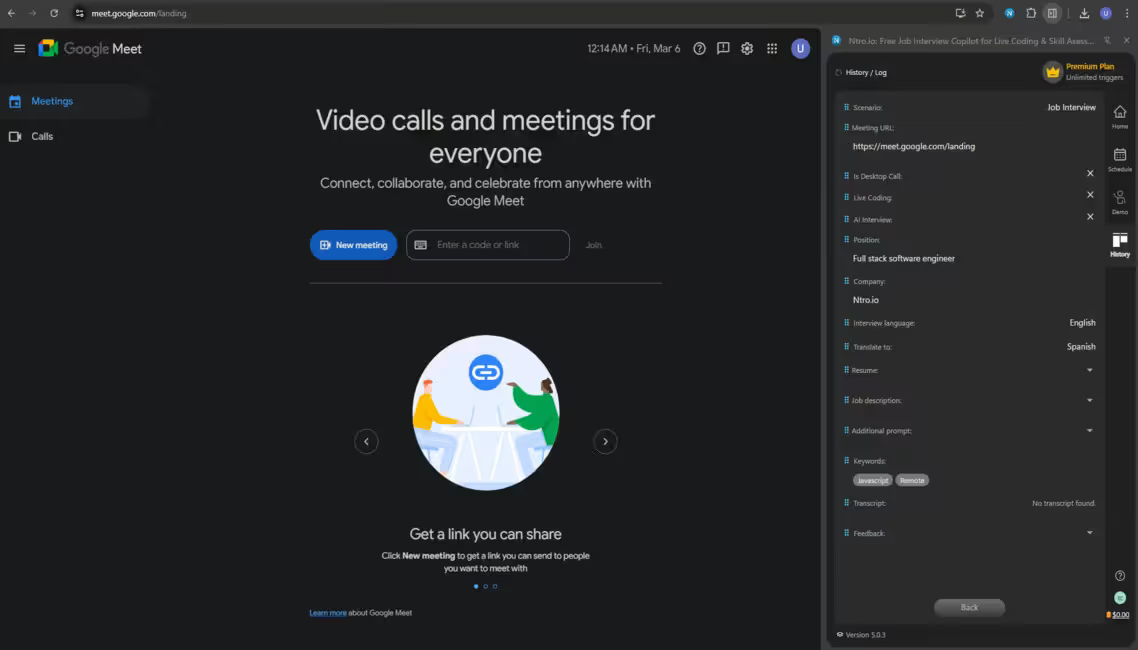
Get AI feedback to learn from past.
Find the AI-generated feedback.
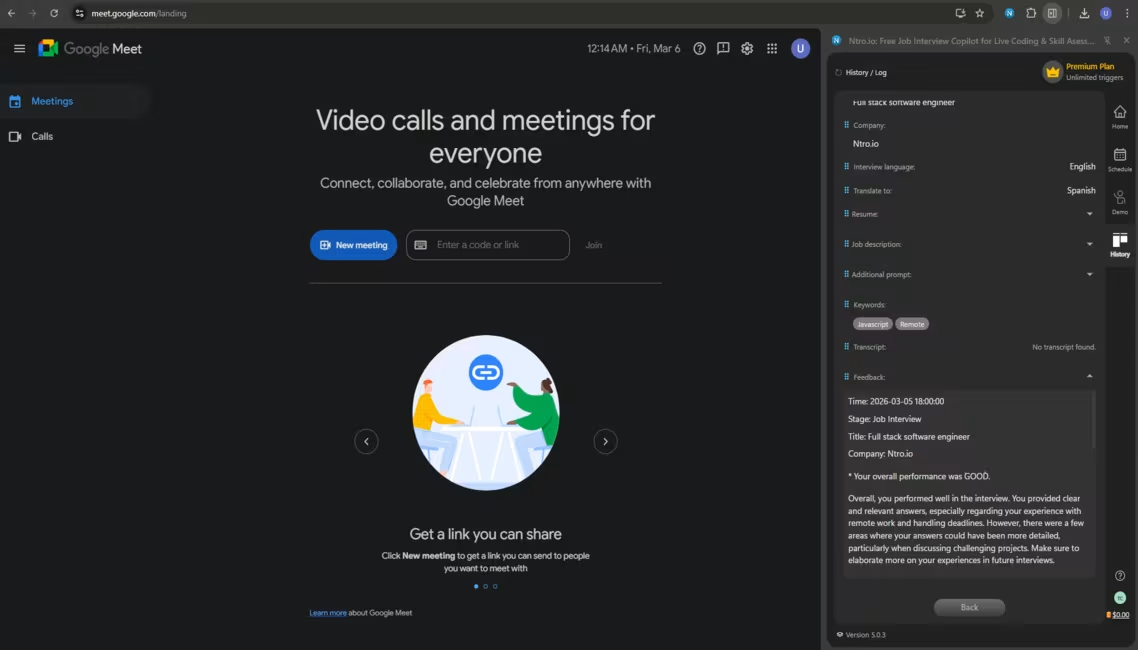
Please see how AI evaluates your interview performance.
Congrats, Good Luck with Your Interviews!
Finish

Finish.




.avif)