


Navigating interviews, business meetings, and even everyday conversations can be challenging. Ntro.io Interview Copilot is designed to provide real-time support during online meetings. Using speech recognition, it analyzes conversation context and offers relevant suggestions and guidance as discussions unfold.
Whether used through automatic or manual triggers, Ntro.io can help users stay organized, communicate more clearly, and respond more effectively in a variety of situations.
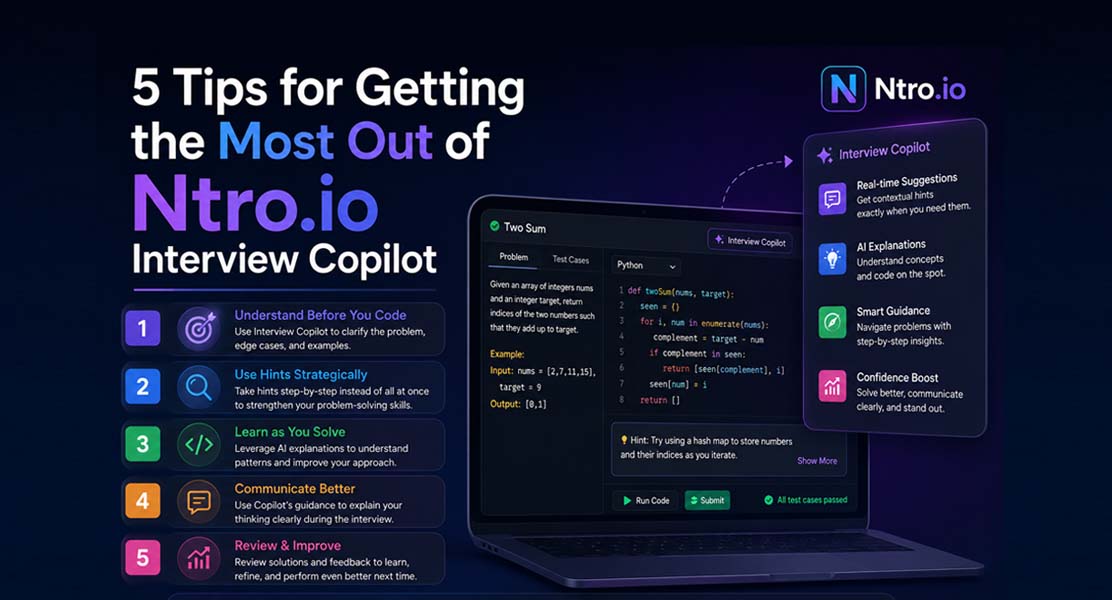
To get the most out of Ntro.io Interview Copilot, it is important to use it strategically. Here are five tips to help you maximize its value during interviews and online meetings.
Tip #1. Provide Sufficient Context to the Copilot
To provide relevant guidance, Ntro.io needs to understand the context of your meeting and your background. The more useful information you provide, the better the copilot can tailor its suggestions to your specific situation.
For example, if you're using Ntro.io for a job interview, consider providing details such as the job title, company name, your resume, and the job description. This additional context helps the copilot generate suggestions that are more aligned with the discussion and your objectives.
By supplying relevant information in advance, you can improve the quality and relevance of the guidance provided during the meeting.
Tip #2: Share Important Keywords and Terminology
Modern speech recognition systems are highly capable, but specialized terms and industry-specific terminology can still be challenging to transcribe accurately in some situations.
Ntro.io is designed to interpret context even when transcriptions are imperfect. However, providing important keywords and terminology in advance can help the copilot better understand the discussion and generate more relevant suggestions.
For example, in a technical interview, sharing terms such as "containerization," "clickjacking," or other domain-specific concepts can provide additional context and help align the guidance with the topic being discussed.
Tip #3. Use Manual Triggering for Maximum Control
Auto-triggering might seem convenient, but experienced users have found that manual triggering offers a more efficient and controlled experience. In most cases, you won’t need advice on every question. Depending on your experience level, you might only need the copilot’s input for 30% of the conversation, or even less. Auto-triggering can overwhelm you with information, while manually triggering (by simply pressing the space or enter key) ensures that you receive guidance exactly when you want it. Additionally, manual triggering is quicker since it bypasses the slight delay needed for auto-trigger processing.
Tip #4. Leverage Quick Prompts for Precision
Ntro.io also features a quick prompt input box, making it even more versatile. Think of it as your shortcut to getting help in real-time, similar to how you'd interact with ChatGPT. If you need assistance but the speech recognition missed a critical term, simply input a short, relevant prompt into the box, and Ntro.io will generate highly contextual advice. For instance, if the term “clickjacking” was missed, typing “clickjack” will clue Ntro.io into the topic and generate responses tailored to web security.
Tip #5: Stay Present and Engaged During Practice Sessions
When using Ntro.io during mock interviews or practice sessions, treat the AI's feedback as a learning aid rather than something to rely on for every response. The goal is to internalize effective communication patterns, structure, and reasoning so that you can apply them naturally during real interviews. Practice sessions are an opportunity to build confidence, refine your approach, and develop stronger communication habits. Over time, as your skills and familiarity grow, you may find that you need less assistance and can navigate conversations more independently. Ntro.io is most effective when used to support learning and preparation, helping users strengthen their own abilities rather than replacing them.
Conclusion
By following these tips and practicing with the Ntro.io demo interview, you can learn how to use the copilot more effectively and integrate it into your preparation and communication workflow. Whether you're preparing for a job interview, participating in a business meeting, or joining an online conversation, Ntro.io Interview Copilot is designed to provide contextual support throughout the discussion. Over time, users can develop greater familiarity with its features and determine how it best fits their individual needs and communication style.
Related Blogs

.webp)



.avif)